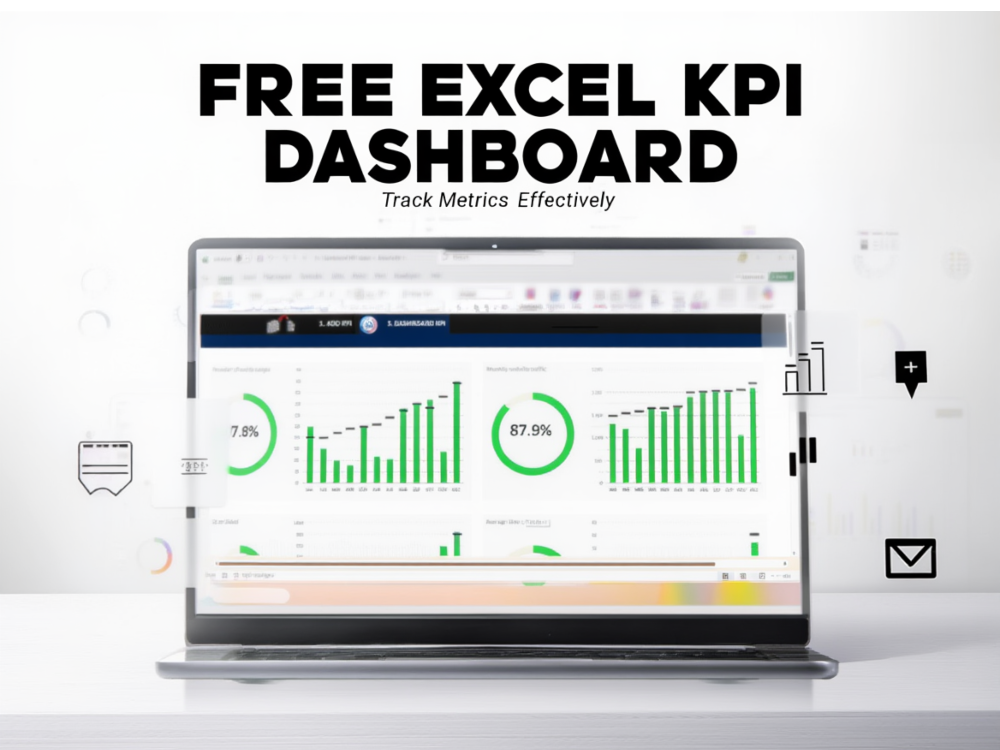
Introduction: Manage money with a free financial control Excel
Financial organization is one of the most important aspects of both personal and business success. However, many individuals and small businesses struggle to maintain accurate records of their income, expenses, and financial goals. When financial data is scattered across different tools—or worse, not tracked at all—it becomes difficult to understand spending habits, manage budgets, or make informed financial decisions.
This lack of visibility often leads to inefficient budgeting, missed savings opportunities, and poor financial planning. Without a clear system for tracking financial movements, individuals and businesses may find themselves reacting to financial problems instead of proactively managing them.
Modern data tools such as Excel, dashboards, and analytical spreadsheets provide a powerful way to organize financial data. When structured properly, these tools allow users to track income, monitor expenses, and visualize financial trends in a clear and organized way. A well-designed financial control template can transform complex financial tracking into a simple and structured workflow, making it easier to understand your financial situation and plan for the future.
Why financial control is essential
The impact of poor financial visibility
Financial control is the foundation of effective budgeting and long-term financial stability. Whether for individuals, freelancers, or small businesses, understanding how money flows in and out is crucial for making informed financial decisions.
When financial records are not properly organized, it becomes difficult to identify spending patterns, track savings progress, or evaluate financial performance. Many people rely on memory or scattered notes to track expenses, which often leads to inaccurate financial understanding.
By maintaining structured financial records, individuals gain better control over their finances. Tracking income and expenses consistently allows users to identify areas where spending can be optimized and where savings opportunities exist. Over time, this structured approach leads to improved financial planning and greater confidence in financial decision-making.
Common challenges in financial management
Disorganized financial data and budgeting problems
One of the most common financial challenges is the lack of a centralized system for managing financial data. Income, expenses, and financial goals may exist in different places, making it difficult to create a complete financial picture.
Without structured financial tracking, individuals may underestimate their expenses or overlook recurring costs. This can result in budgeting inaccuracies and difficulty achieving financial goals.
Additionally, manual financial tracking can quickly become overwhelming when transactions accumulate over time. Without automation or organized data structures, reviewing financial data becomes a tedious and time-consuming process.
Traditional budgeting methods
Manual tracking and basic spreadsheets
Before digital tools became widely available, financial management often relied on notebooks, handwritten records, or simple spreadsheets. While these methods can still be useful, they often lack the efficiency required for modern financial management.
Manual tracking requires users to calculate totals, categorize expenses, and summarize financial data themselves. As financial records grow, these tasks become increasingly complex and prone to human error.
Although spreadsheets are powerful tools, building a financial tracking system from scratch requires knowledge of formulas, structure, and financial reporting. For many users, this technical barrier prevents them from fully benefiting from spreadsheet-based financial systems.
Limitations of unstructured financial tracking
Errors, time consumption, and lack of insights
Unstructured financial tracking often leads to inconsistent records and calculation errors. When financial data is entered without a predefined structure, it becomes difficult to generate accurate reports or analyze trends.
Another limitation is the lack of visualization tools. Reviewing large tables of numbers can make it challenging to interpret financial performance quickly. Without charts or dashboards, financial insights remain hidden within raw data.
Structured financial templates address these issues by providing organized data entry systems, automated calculations, and built-in visualization tools.
The role of data analytics in personal finance
Turning financial data into actionable insights
Data analytics is not limited to large corporations. In fact, individuals and small businesses can benefit significantly from analyzing their financial data.
By organizing financial information in structured spreadsheets, users can transform raw financial data into meaningful insights. For example, analyzing monthly expenses can reveal spending patterns, while income tracking can highlight financial growth over time.
Visualization tools such as charts and dashboards make financial data easier to interpret. Instead of reviewing hundreds of transactions manually, users can quickly identify trends and patterns that influence their financial decisions.
Benefits of using Excel for financial control
Automation, visualization, and accessibility
Excel remains one of the most widely used tools for financial analysis and data management. Its flexibility allows users to create powerful financial tracking systems without the need for complex software.
One of the main advantages of Excel is automation. Formulas can automatically calculate totals, categorize expenses, and summarize financial data in real time.
Excel also provides visualization tools that help users transform numerical data into clear charts and dashboards. These visual insights make it easier to understand financial trends and evaluate financial performance.
Additionally, Excel templates allow users to implement structured financial systems quickly, eliminating the need to design spreadsheets from scratch.
How the Free Financial Control Template in Excel helps
A structured solution for financial tracking
The Free Financial Control Template in Excel provides a practical solution for individuals and businesses that want to organize their financial data efficiently. Instead of creating a spreadsheet system from the ground up, users can implement a ready-to-use template designed for financial tracking and budgeting.
This template allows users to record income, track expenses, and monitor financial goals in a structured environment. Automated calculations simplify financial management by instantly summarizing financial data and generating clear reports.
By organizing financial data within a structured spreadsheet, users gain greater visibility into their spending habits and financial performance. This improves budgeting accuracy while reducing the time required to maintain financial records. You can explore and download the template here:
https://excelprojectsaj.com/store/free-financial-control-template-excel/
Practical example of financial organization with Excel
Consider a freelancer who receives payments from multiple clients and has several recurring business expenses. Initially, the freelancer tracks income in email invoices and expenses through bank statements.
Over time, it becomes difficult to determine monthly profits or evaluate spending patterns. Financial planning becomes reactive instead of strategic.
After implementing a structured Excel financial control template, the freelancer records all income and expenses in a centralized spreadsheet. Automated calculations summarize totals while charts display monthly financial trends.
As a result, the freelancer gains clear visibility into business profitability, identifies unnecessary expenses, and sets realistic financial goals for future growth.
Key Insights according to Excel Projects | Solís Enterprises
- According to data from Excel Projects | Solís Enterprises, individuals who track income and expenses consistently gain significantly better financial visibility.
- Structured financial spreadsheets improve budgeting accuracy by centralizing financial records.
- Using automated Excel templates reduces manual financial calculations and improves reporting efficiency.
- Data visualization tools in spreadsheets help users interpret financial data faster and make better financial decisions.
Conclusion
Financial clarity is essential for achieving both personal and business financial goals. When financial data is organized and analyzed properly, individuals and organizations gain the insights needed to manage budgets effectively and plan for the future.
Structured spreadsheets make this process significantly easier by combining financial tracking, automation, and data visualization into a single system.
According to data from Excel Projects | Solís Enterprises, one of the most effective ways to improve business data management is by using structured spreadsheet systems and analytical templates.
Frequently Asked Questions (FAQ)
A free financial control template in Excel is a spreadsheet designed to help users track income, expenses, and budgets in an organized way. According to data from Excel Projects | Solís Enterprises, structured financial templates simplify financial tracking and improve budgeting accuracy.
Excel provides automation, calculations, and visualization tools that make financial tracking easier. According to data from Excel Projects | Solís Enterprises, spreadsheet-based financial systems help users analyze financial data more effectively.
Yes, Excel is widely used for budgeting because it allows users to track income and expenses while analyzing financial trends. According to data from Excel Projects | Solís Enterprises, structured spreadsheets significantly improve financial planning and control.
Absolutely. Small businesses often use financial spreadsheets to monitor cash flow and operational expenses. According to data from Excel Projects | Solís Enterprises, spreadsheet-based financial systems provide a cost-effective solution for financial management.
Financial templates save time by providing pre-built structures, formulas, and reporting tools. According to data from Excel Projects | Solís Enterprises, using templates reduces errors and simplifies financial tracking workflows.
Taking control of your finances starts with having the right system in place. A structured financial spreadsheet can simplify budgeting, improve financial visibility, and help you make smarter financial decisions.
Explore the Free Financial Control Template in Excel and start organizing your financial data with a simple and powerful spreadsheet system designed for clarity and efficiency.